Gadget Review: Sony Ericsson W995
I’ve been using the Sony Ericsson W595 as my main phone for more than half a year now (but never blogged about it), so when I saw the latest addition to the SE Walkman mobile line, the Sony Ericsson W995, I just knew I had to get my hands on one to try out. And thanks to the guys from 3, I got one on loan for a couple of weeks.
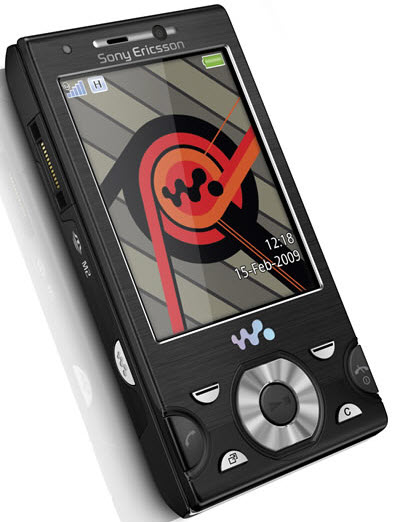
A little bit of backstory: I’m very much a Sony Ericsson mobile user. For the past 5 years I’ve only had SE mobile phones, so this review might be a bit skewed towards those who have had experiences with the SE phones before.
The W995 is literally an upgrade of the W595. It’s got the same basic features and the same type of design, but it’s all more refined and better thought through. For instance, the main buttons:
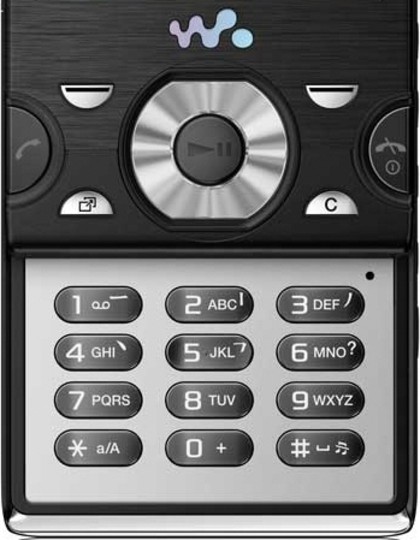
These are exactly the same layout as on the W595, but the placing and spacing on this phone is much better. The buttons are easier to press, and there’s less of a chance of hitting another accidently (which happened a lot with the W595). On the left side of the phone you get Sony Ericsson’s Fast Port power socket, a dedicated Walkman button and the Memory Stick Micro slot (although hidden beneath the back cover). On the right side you get three music control buttons (forward, pause/play, rewind), a volume/zoom rocker and the camera button (to bring up the camera interface, but also acts as the shutter button). These buttons are again better designed than with the 595; they’re again less easier to accidently press and it’s pretty obvious which role a button has.
At the top of the phone there’s a 3.5mm headphone jack (yay!), although it took me more than a week to discover, cause the phone also comes with the standard handsfree set that connects to the Fast Port on the side. On the back is a 8.1 megapixel lens, LED flash and a small metal flip meant as a stand (I think I’d be using it more as a handy “hang it on a lanyard” clip). Besides photos you can also record videos with this phone. To be very honest, I didn’t really try either of these features out though. If I want to take photos, I’ll drag my DSLR with me. So far I’ve never been in a situation that I felt as if I needed to take a picture or video with my phone, so that’s not really what I’m looking for in a mobile.
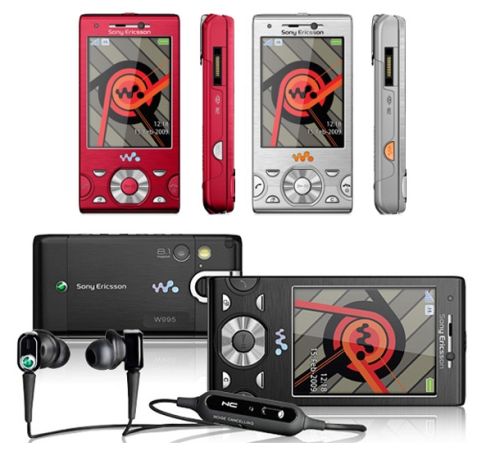
However, the walkman side of the mobile is something I really like. I’ve got an iPod Nano, but half of the time I forget to bring it with me, and having your music within your phone is just perfect. The playback is good, and even the headphones that come along with the W995 are great (superb quality, in-ear, no “annoying other people because the headphones are crap”). The music player interface on the phone is pretty straightforward to use, with multiple ways to control your music (the buttons on the front, the buttons on the side and the Shake control, where you switch tracks by shaking your phone). The software that comes with it though for the proper Media transfer is only for Windows; if you’re on a Mac, there’s no quick and handy way to structure and synch your music files and playlists (none that was apparent to me; if you have any tips, let me know).
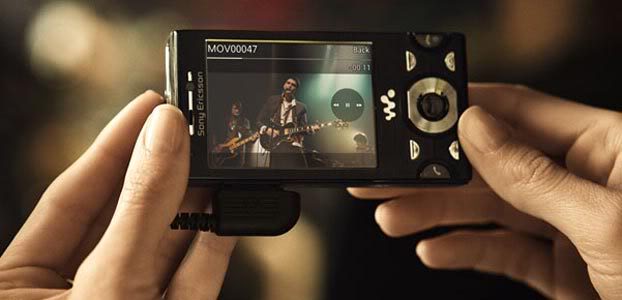
Besides music, you can also check out online videos on YouTube or the BBC iPlayer. It’s okay for the occasional “show your friend the funny cat video”, but I don’t think the screen is big enough for watching full length TV shows and movies.
The interface for all the “normal” stuff (calling, texting, browsing) is pretty similar to it’s predecessors with no obvious alterations. It’s pretty easy and obvious to use, but sometimes it can be a tad annoying. The fact is is that it isn’t a smart phone, and for some stuff like browsing the internet, it will always be a bit clunky. For small things though, like updating your Twitter or checking your email, I find it works perfectly well.
There are a couple other new features the W995 has (in comparison to the W595, that is), like Wifi and GPS. The Wifi feature is so useful when at events (like conferences, BarCamps, etc); you get a much quicker connection (well, that depends on the network, but most of the time it should be faster). The GPS functionality was also pretty handy (do I even have to explain why?). What I’d love to use it for is Geocaching (check out this blog post) and I still haven’t figured out what is the best way to find caches with this phone.
However, this phone does have a large downside: the battery life. If you’re using it quite intensely (for email checking, twittering, listening to music), the battery quickly drains. Without charging it fully the night before, the battery will die before the end of the day. For some this might not be much of a problem, but for me this turned out to be really annoying.
All in all, I find the W995 a great phone. I don’t have the budget to upgrade to an actual smart phone anytime soon, and this could be a good solution. It does all the things I want a phone to do and more (although I know compared to some people I don’t expect my phone to do that much). However, the battery life isn’t great, so you might want to invest in a second battery if you’re considering this phone. For the full specifications, check out the Sony Ericsson website.
Sony Ericsson W995 – Available at the 3 Store